Troubleshooting Guide
This guide helps resolve common issues when creating or managing Personas in Promethist Studio, ensuring you can successfully configure and save your digital personas.
Common Issues and Resolutions
The following list addresses problems you may encounter when working with Personas.
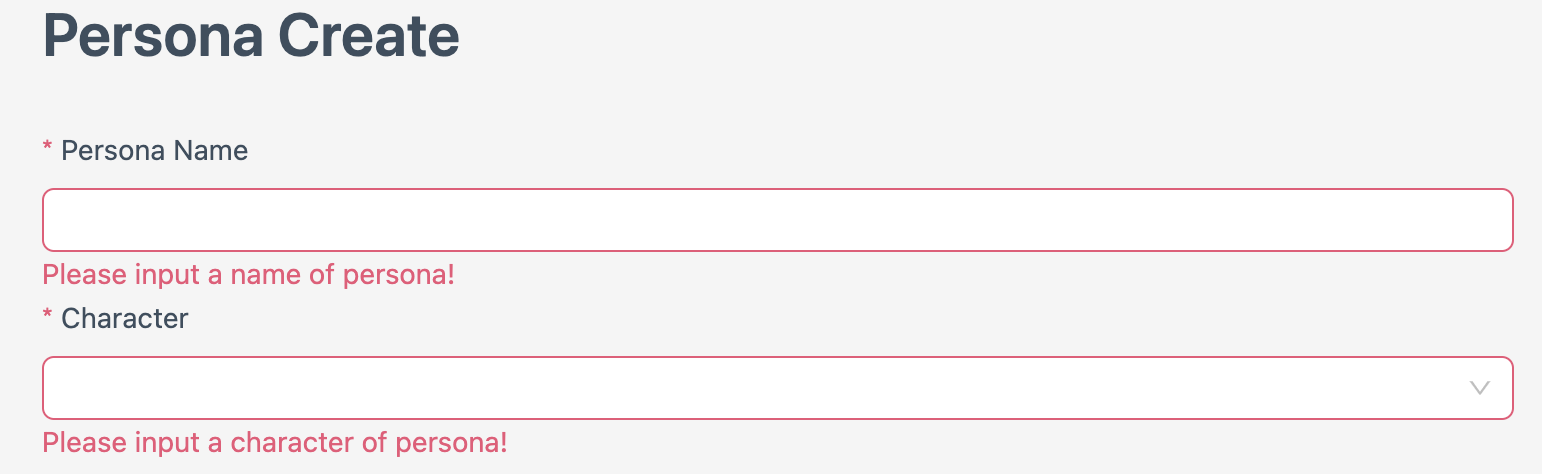
- Unable to save Persona due to missing obligatory sections
-
Ensure all fields marked with a red star (e.g., Name, Character, Role, Identity) are completed before saving. Check the creation form for any highlighted or empty required fields.
|
Hover over the info icon next to the field to see a tooltip with field requirements. |
General Troubleshooting Tips
If you encounter other issues:
-
Verify Form Inputs: Double-check all fields, especially those marked with a red star, for correct formats and completeness.
-
Check Permissions: Ensure your account has permissions to create and save Personas. Contact your administrator if access is restricted.
-
Clear Cache: If the UI doesn’t update, clear your browser cache or use incognito mode.
-
Contact Support: If problems persist, contact Promethist Studio support with error details and screenshots.
|
Save your work frequently during Personas creation to avoid data loss. |