How to Test an Application
After creating an Application, test it to ensure it behaves as expected in conversations.
-
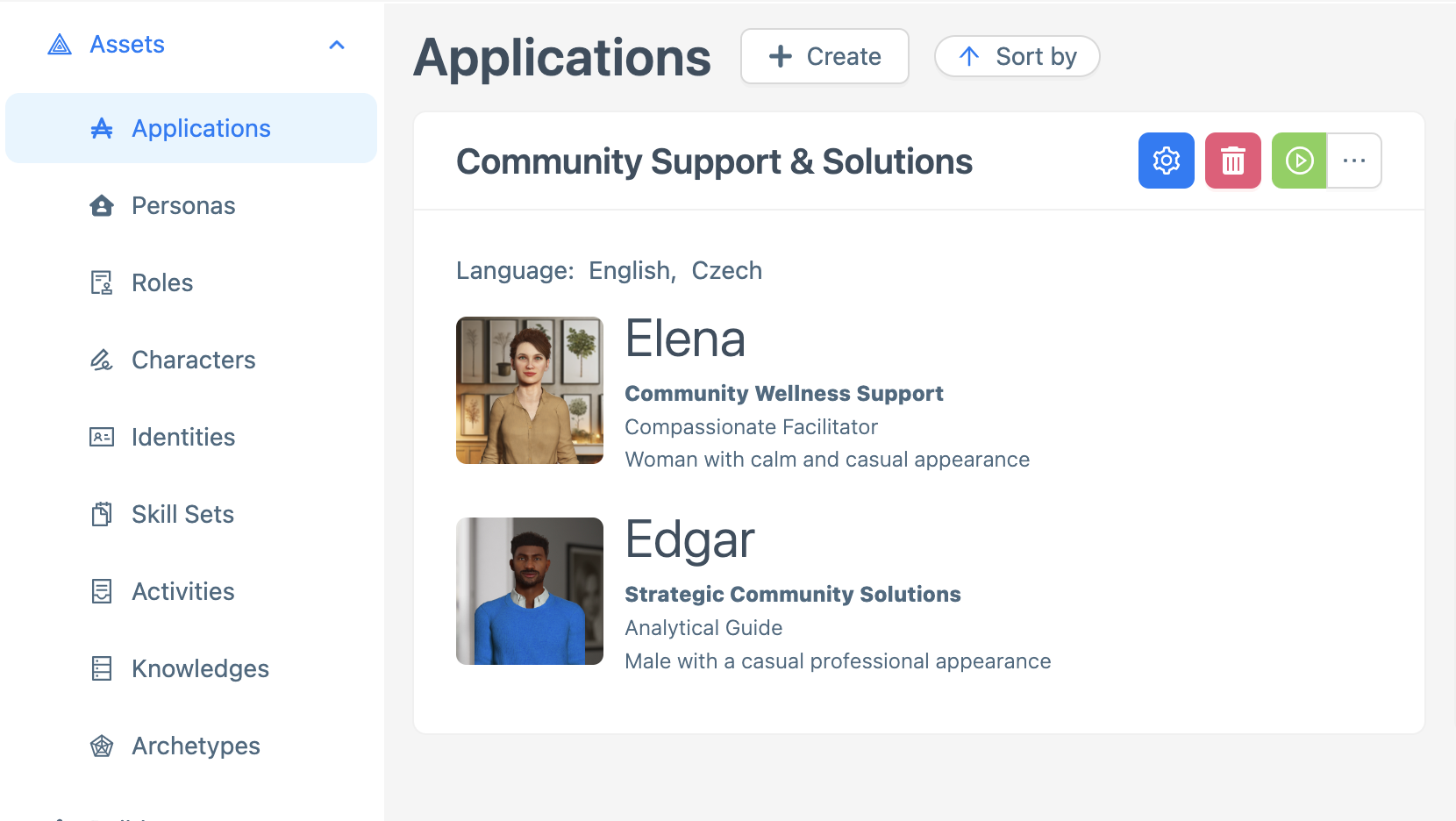
Navigate to the Applications main page and select the Application you want to test.
-
Click the green Play button on the Application’s profile to start a session, a conversation window will open.

-
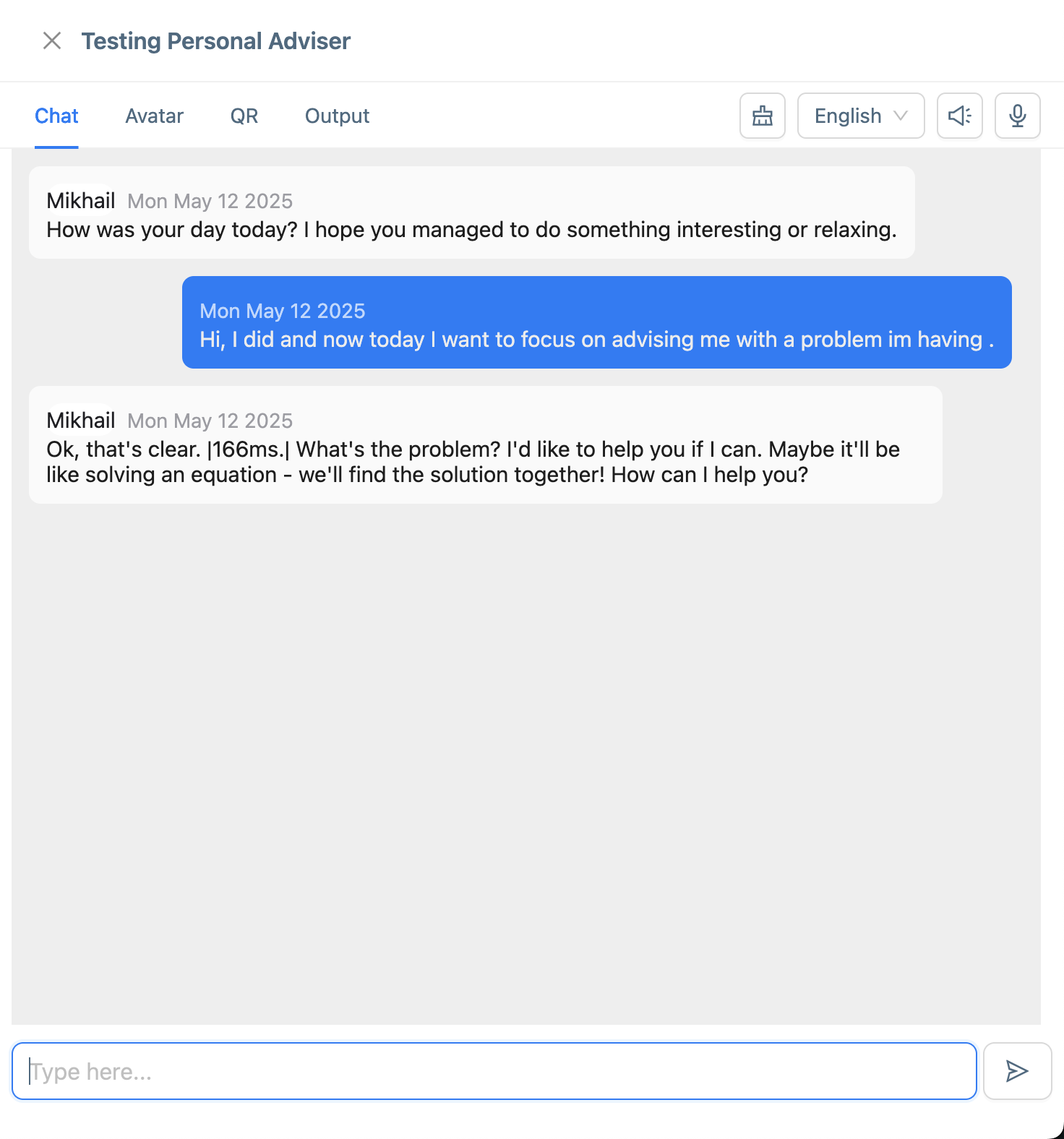
Interact with the application in the conversation window:
-
Enter sample inputs (e.g., greetings, questions, or commands) to simulate user interactions.
-
Observe the Application’s responses to verify they align with the selected options. See How to Create an Application for details.
-
Check specific behaviors, such as:
-
Correct greeting or introduction based on the Application’s Name and selected personas.
-
Appropriate language response matching the selected Language.
-
-
Note any unexpected behaviors (e.g., incorrect responses, errors, or off-tone interactions) for further adjustments.
-
-
End the conversation by closing the window or stopping the session, if applicable.
Ensure you test a variety of inputs to evaluate the Application’s performance across different scenarios. Refer to How to Create an Application to confirm the expected behavior based on the selected options.
Next Steps
Based on the test results:
-
If the application performs as expected and is ready for use, you can finalize it by publishing. See How to Publish an Application.