How to Test a Character
After creating a Character, test it to ensure it behaves as expected in conversations.
-
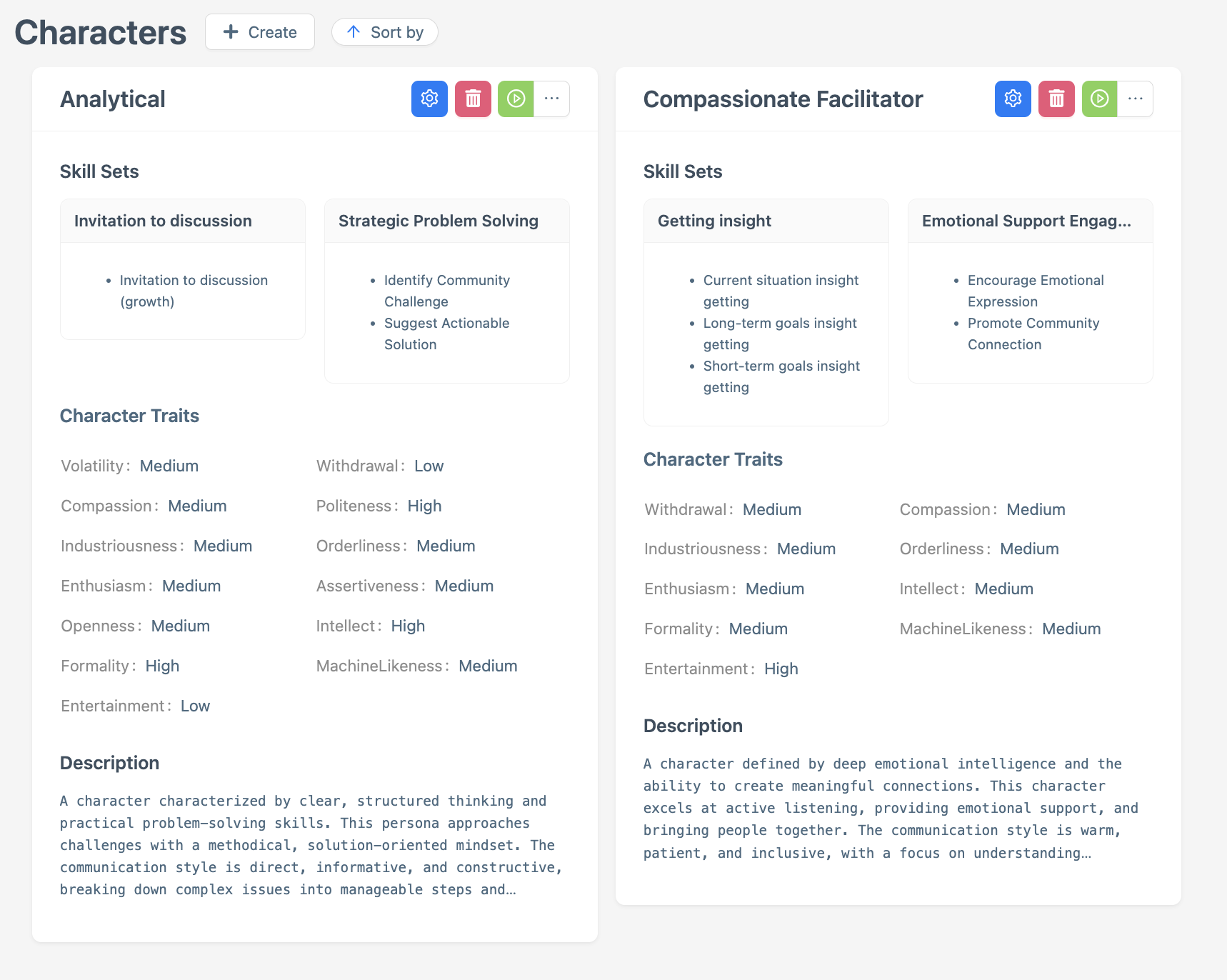
Navigate to the Character main page and select the Character you want to test.
-
Click the green Play button on the Character’s profile to start a session, a conversation window will open.

-
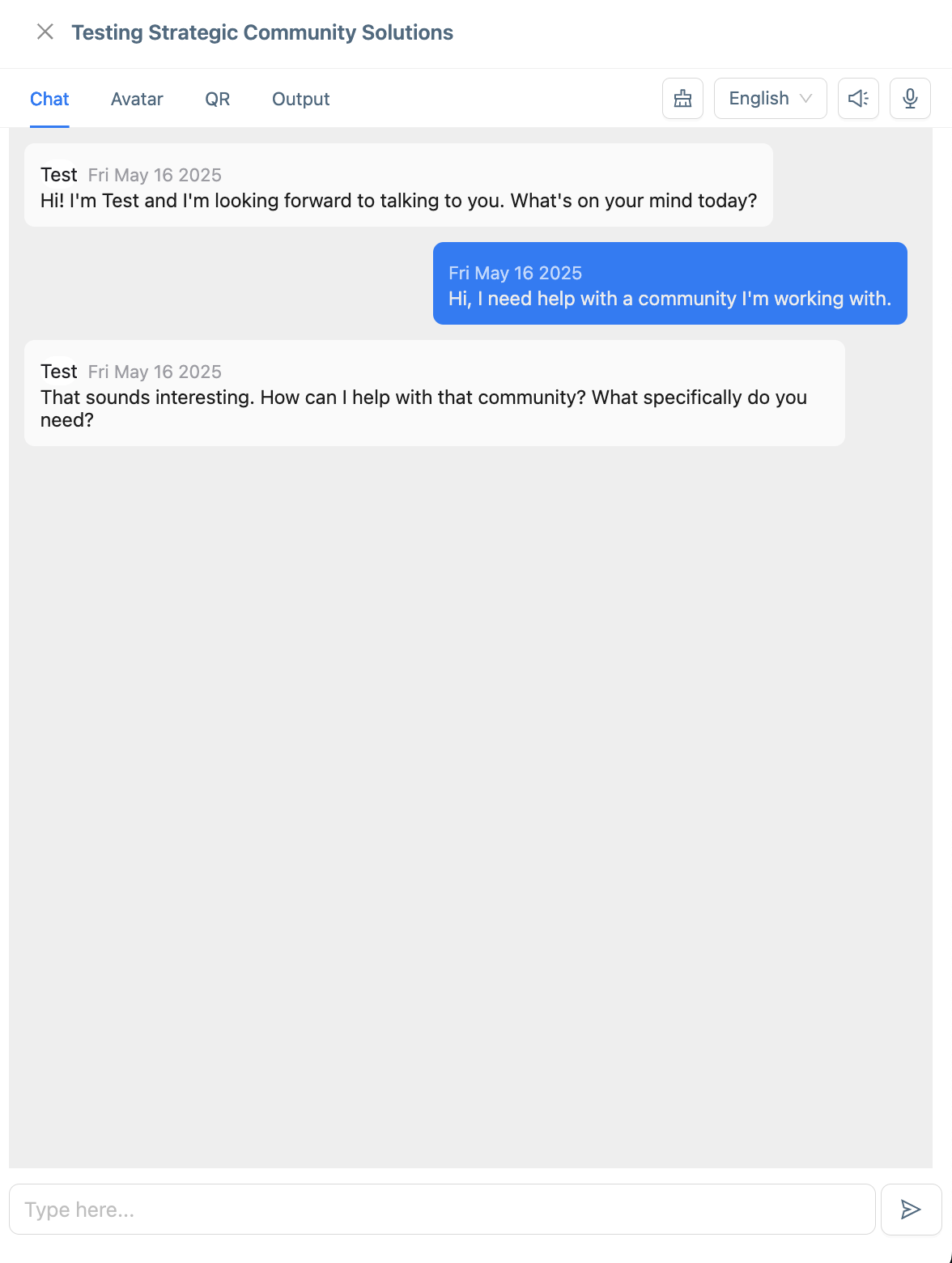
Interact with the Character in the conversation window:
-
Enter sample inputs (e.g., greetings, questions, or commands) to simulate user interactions.
-
Observe the Character’s responses to verify they align with the selected options. See How to Create a Character for details.
-
Check specific behaviors, such as:
-
Correct greeting or introduction based on the Character’s Name and Description.
-
Appropriate responses based on selected Knowledge.
-
-
Note any unexpected behaviors (e.g., incorrect responses, errors, or off-tone interactions) for further adjustments.
-
-
End the conversation by closing the window or stopping the session, if applicable.
Ensure you test a variety of inputs to evaluate the Character’s performance across different scenarios. Refer to How to Create a Character to confirm the expected behavior based on the selected options.
Next Steps
Based on the test results:
-
If the Character performs as expected and is ready for use, you can start creating your Role How to Create a Role or you can publish the Character How to Publish a Character.